PDF takeoff & estimating
Stand behind every number.
A takeoff that shows its working — so when a quantity is questioned, you can prove it on the spot.
See it in action
You produced the figure. Can you prove it?
Every estimator knows the moment: a number gets questioned — by a client, a checker, your own second look the next morning — and the honest answer is “trust me.” The measurement’s long gone, the spreadsheet shows a total but not how it was built, and re-deriving it means starting over.
Most takeoff tools hand you a number. MarkMetric hands you the number and the working behind it — so the quantity isn’t something you assert, it’s something you can show.
Open any measurement and the working is right there.
Take a floor area. MarkMetric doesn’t just show you 17.91 m² — it shows you that figure as 18.72 m² gross, minus a 0.81 m² sump-pit cut-out, with the void named and the boundary points listed at their real-world coordinates. Nothing is hidden inside the total. If someone asks how you arrived at the area, the answer is on screen: this polygon, less this void, at this scale.
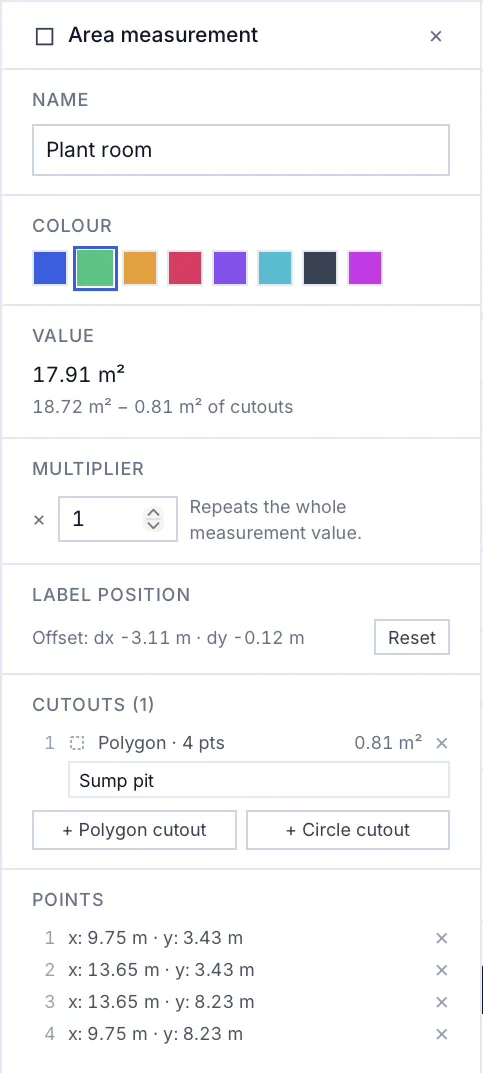
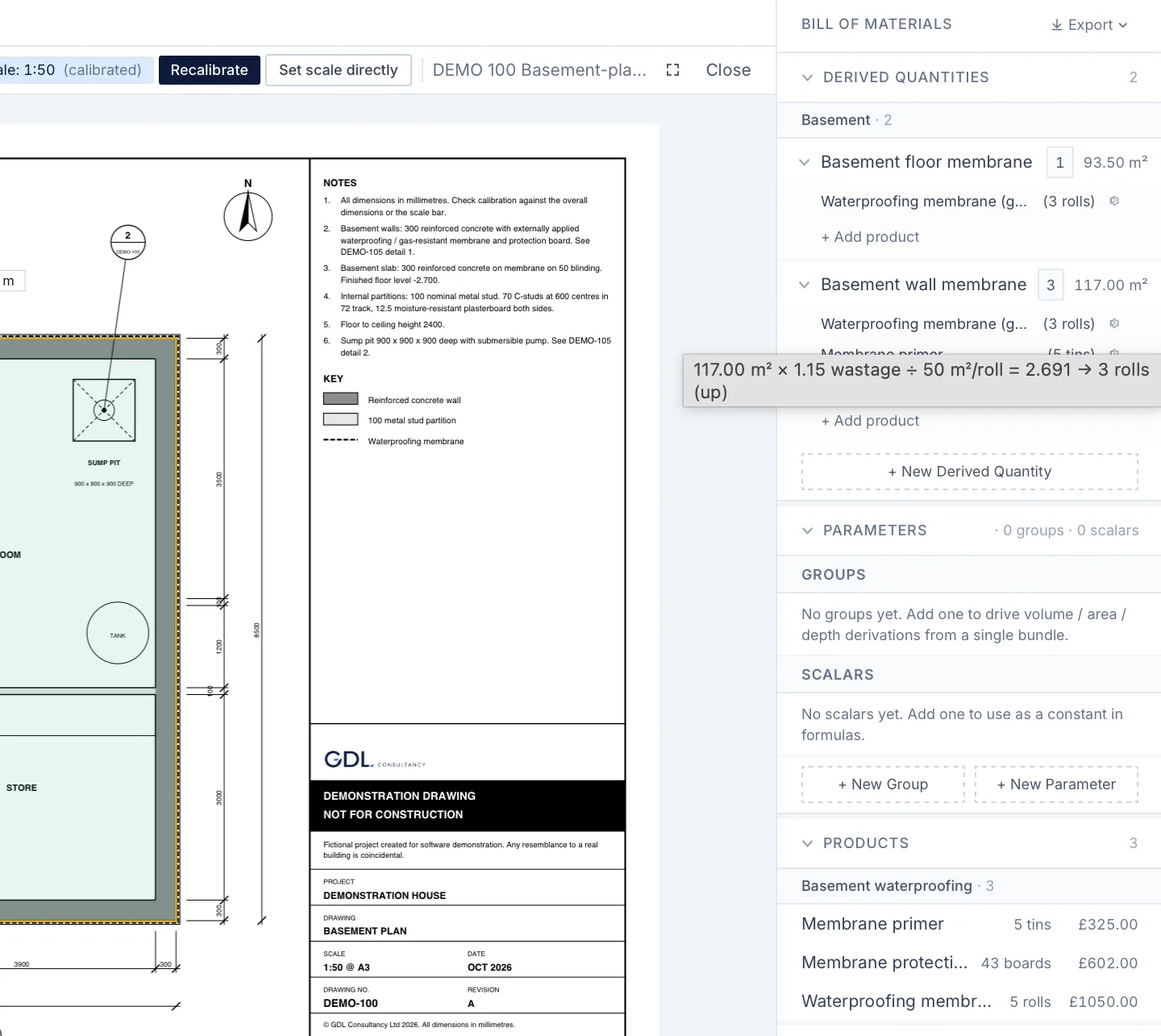
That’s the difference between a takeoff you’ve recorded and a takeoff you can defend. When the figure is built in the open, checking your own work takes seconds, and standing behind it in front of someone else takes nothing at all.
Every measurement carries the scale it was taken at.
A number you can defend has to be right, not just visible. MarkMetric ties a scale to every individual measurement — not to the sheet, the way older tools do — so a length taken on a 1:20 detail and an area taken on a 1:100 plan stay true to each other when they’re combined. The working you show isn’t just transparent; it’s correct across the whole drawing set.
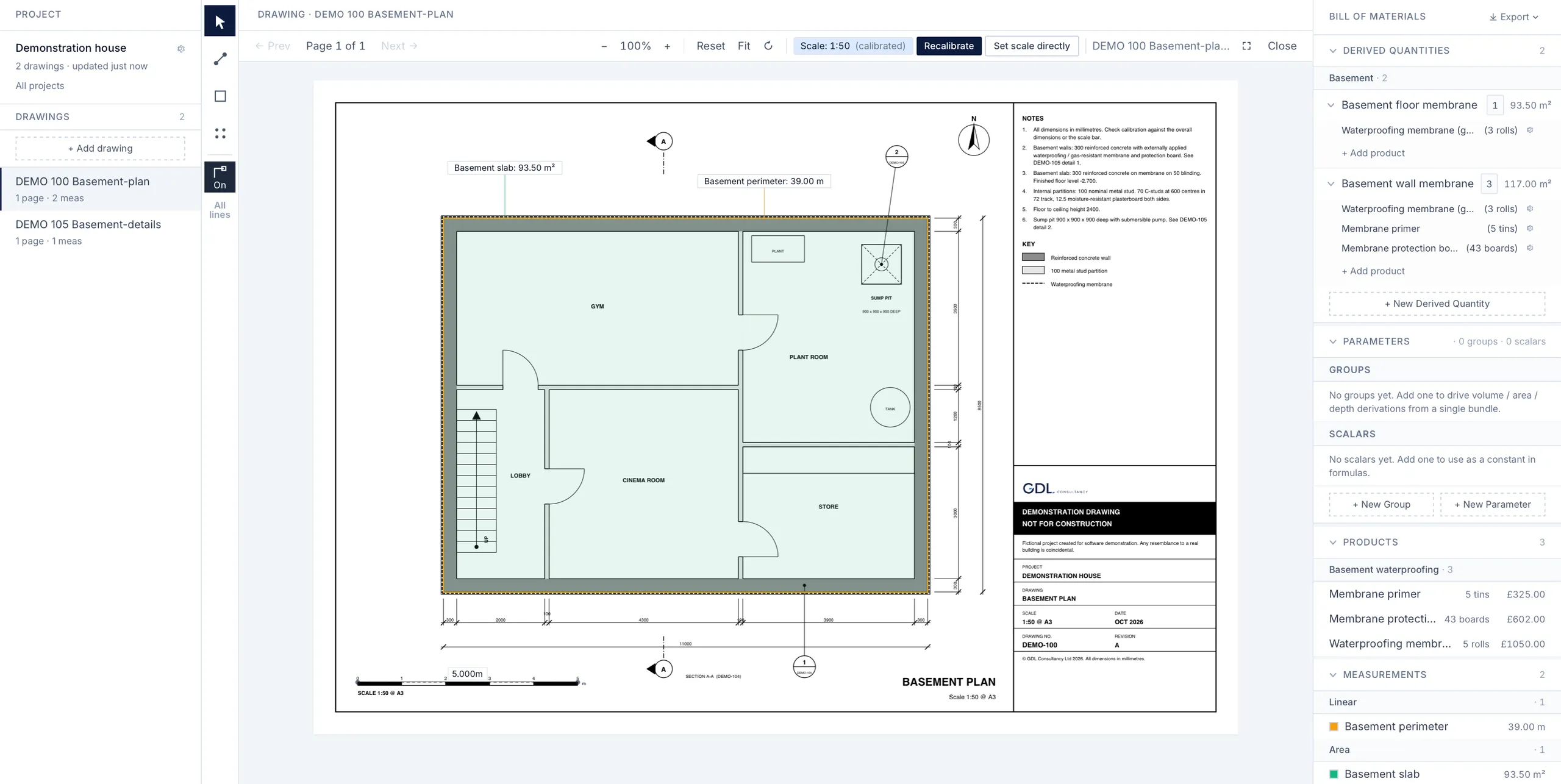
Export the working, not just the answer.
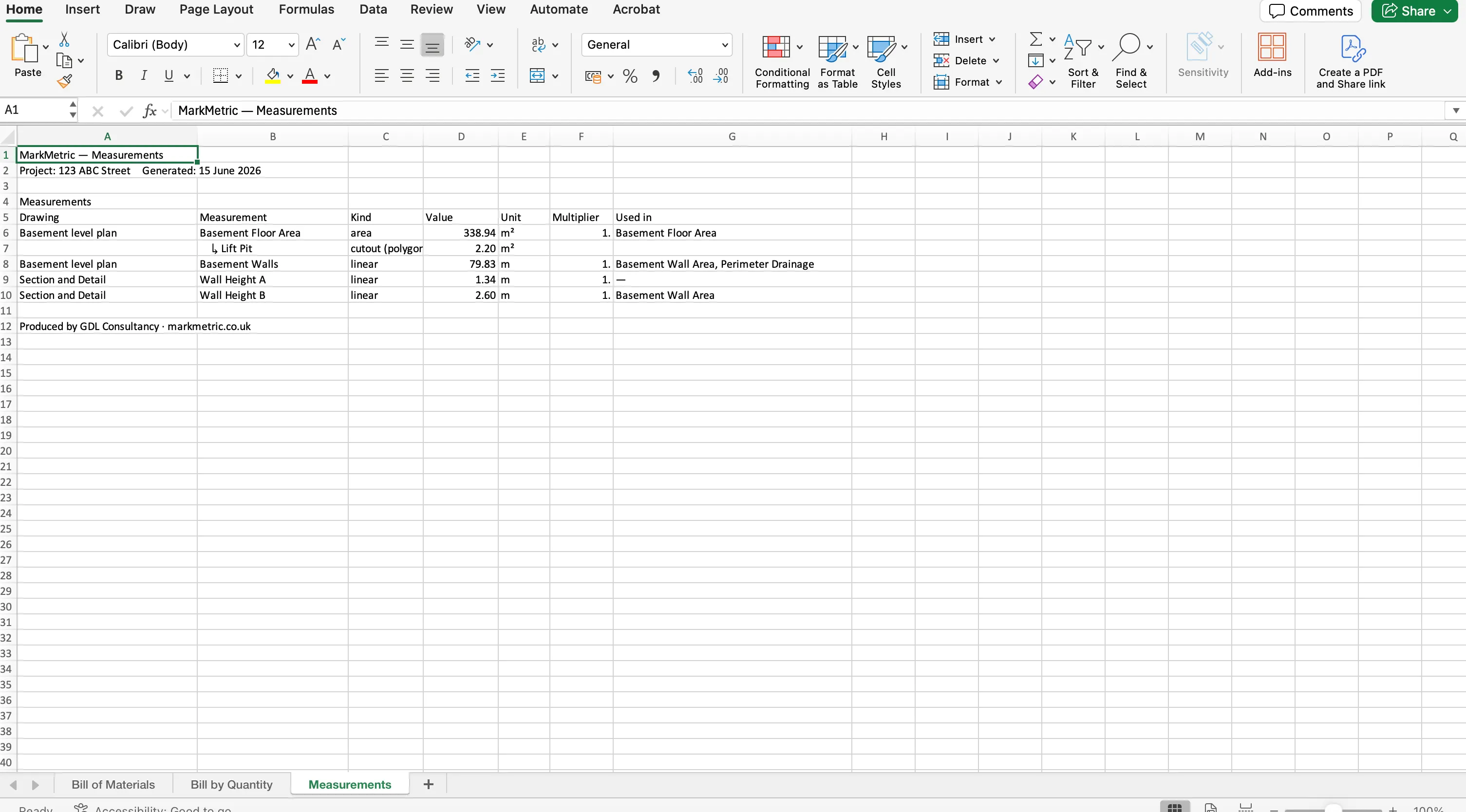
When the job leaves your screen, the working goes with it. Export to Excel and the workbook sets out each measurement, the drawing it came from, and how every total was built — the same build-up you see in the app, on paper. Export the marked-up PDF and your measurements sit back on the drawing at its own scale, so the figures and the drawing tell the same story. Hand either to a checker and they can follow every number, line by line, without redoing your work.
Built for estimators who get asked “how did you get that?”
Surveyors, estimators and contractors who put their name to a number — and need it to hold up when a client scrutinises the bid, a checker reviews the takeoff, or a dispute turns on how a quantity was reached. If your figures have to be defensible, not just fast, this is built for the way you work.
Built by people who’ve had to defend a takeoff.
MarkMetric was built by a team who’ve spent years on the tools — surveying, estimating, across trades — and who know that the figure you can’t explain is the figure that costs you. The working-shown approach isn’t a feature that was added; it’s the thing they wanted and never had.
Numbers you can stand behind.
Show the working behind every quantity, and stand behind every number you put your name to.
Lifetime licence
£495 one-time
- Every feature — no tiers, nothing held back
- One-time payment — no subscription, no renewal
- Runs in your browser, on Mac or PC
- Your projects and pricing stay on your machine
Common questions
- Does MarkMetric show how each quantity was calculated?
- Yes. Every measurement opens to show its working: a floor area, for instance, is shown as the gross area minus any named cut-outs, with the boundary points listed. Nothing is hidden inside the total.
- Can someone else check my takeoff without redoing it?
- Yes. Export to Excel and every measurement, the drawing it came from, and how the totals were built are laid out in full; the marked-up PDF puts your measurements back on the drawing, each sheet marked with its scale. A checker can follow every number line by line.
- How does MarkMetric keep cross-drawing totals accurate?
- Each measurement carries the scale it was taken at, rather than relying on one scale per sheet, so lengths and areas taken from drawings at different scales stay true to each other when combined.