Estimating & pricing
Takeoff and estimating software that prices every job on your own rates
Most estimating tools either lock your pricing into their cloud — fed by national averages and supplier feeds that aren’t your numbers — or run only on a Windows desktop. MarkMetric does neither. You price each job on the rates that actually apply to it, and those rates stay on your own machine.
See it in action
Your prices aren’t one fixed list
No two jobs price the same way. A supplier quotes you keenly for one project; on another you’re on a key account’s agreed rates; on a third you’re working to a merchant’s published list. The price that wins the bid is the one that’s true for that job — not a national average, and not last year’s numbers baked into a shared database.
Cloud estimating platforms push the opposite: a central price library, fed by supplier feeds and aggregate data, that everyone draws from. It’s convenient, but it isn’t your pricing — and it means your margins, your rates, and who you buy from sit on someone else’s server.
Price it on the terms that apply to this job
In MarkMetric, your catalogue is yours. Enter the rates that apply to the job in front of you — a quoted price here, an account rate there — and price the takeoff against them. Set wastage per product and choose how each one rounds — round up, round to nearest, or exact, so you can carry a precise half-roll instead of paying for a whole one when the job only needs half. The estimate reflects how you actually buy, not a generic assumption.
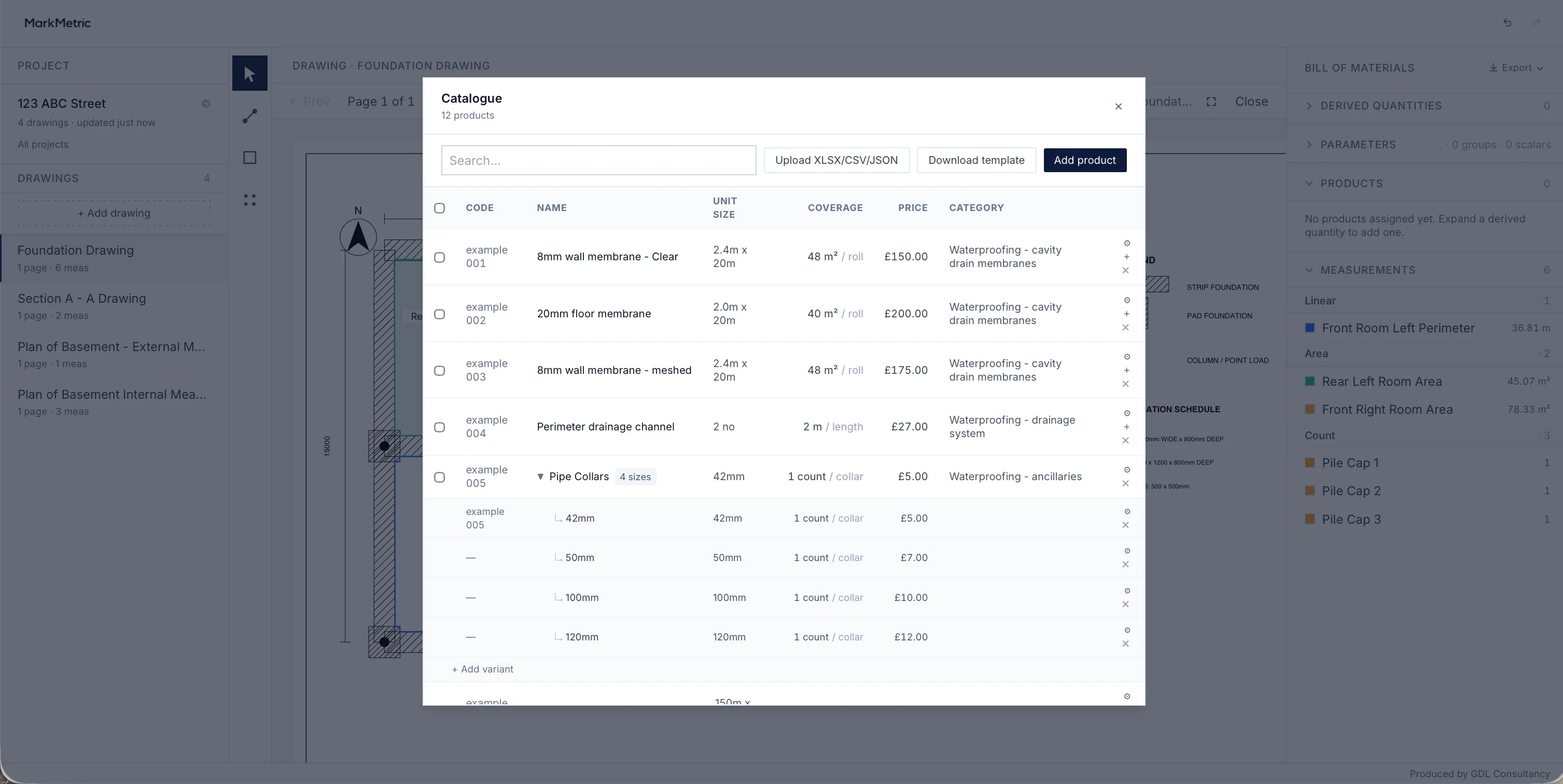
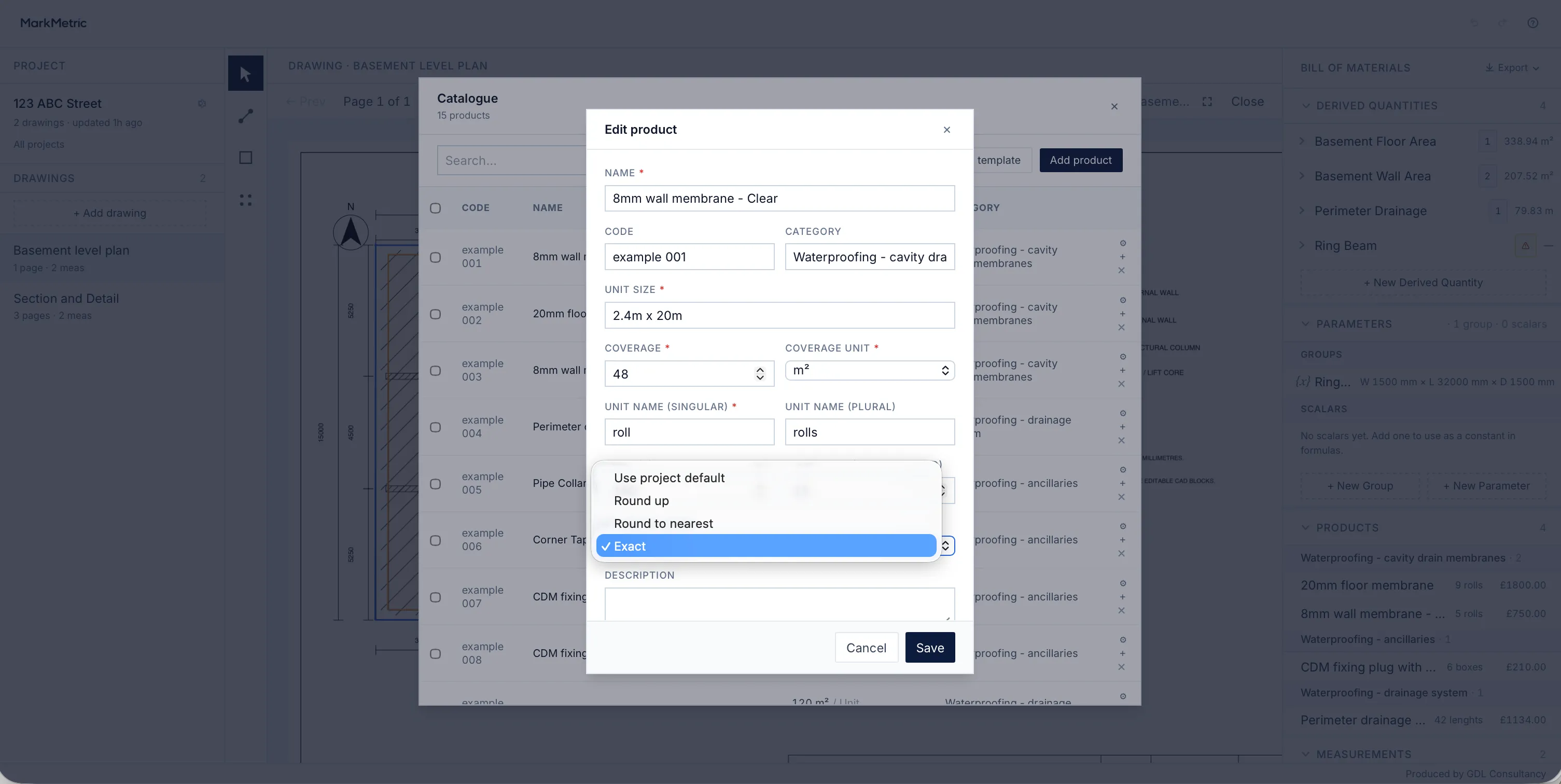
Price each job on your own rates — and see your margin
Set your rate for the job, and set it per product where the job needs it: a blanket adjustment across the project, or an override on a single material that takes precedence over the project rate. The uplift on your ready-mix needn’t match the uplift on your membrane — you price each line the way the work actually prices.
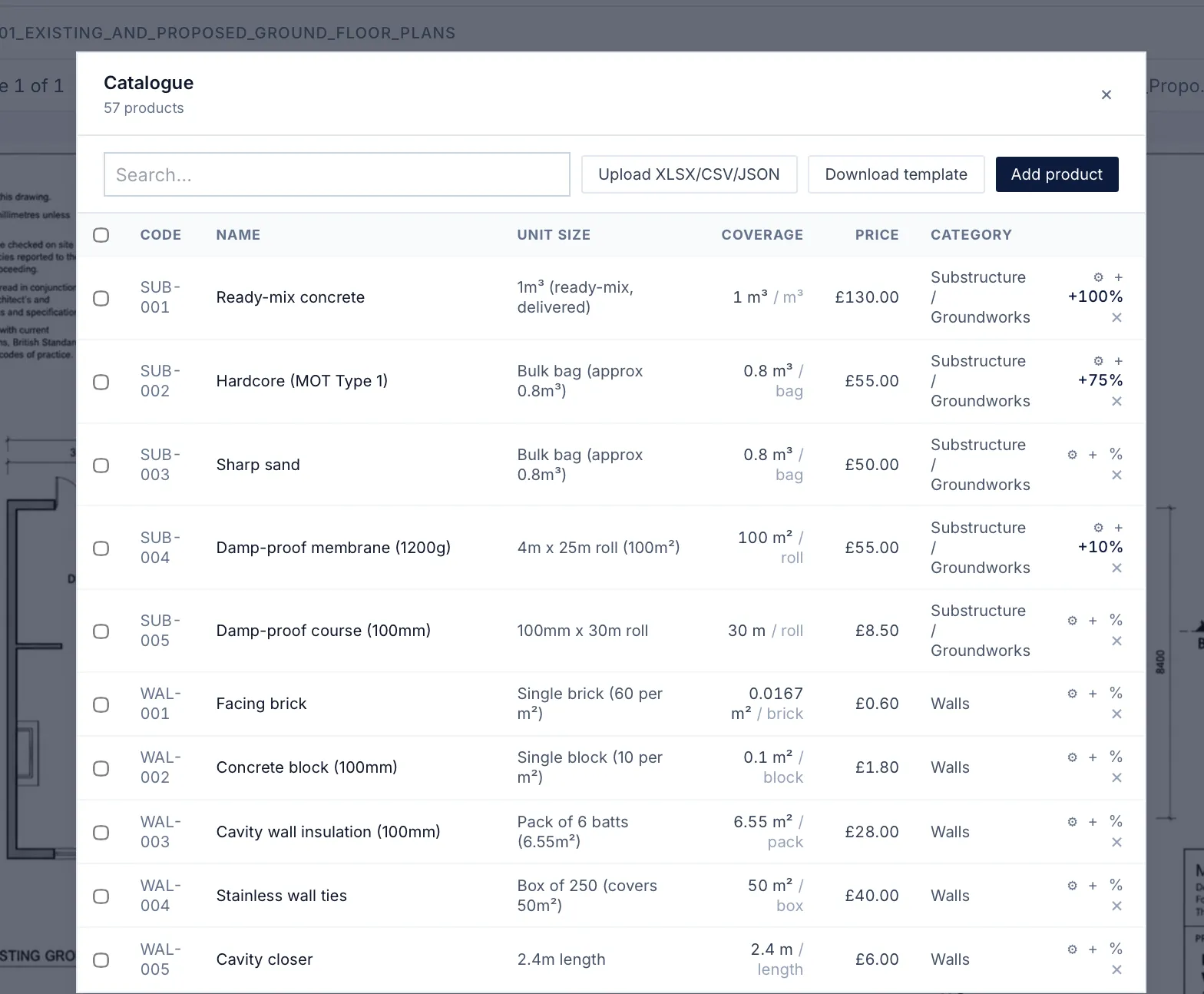
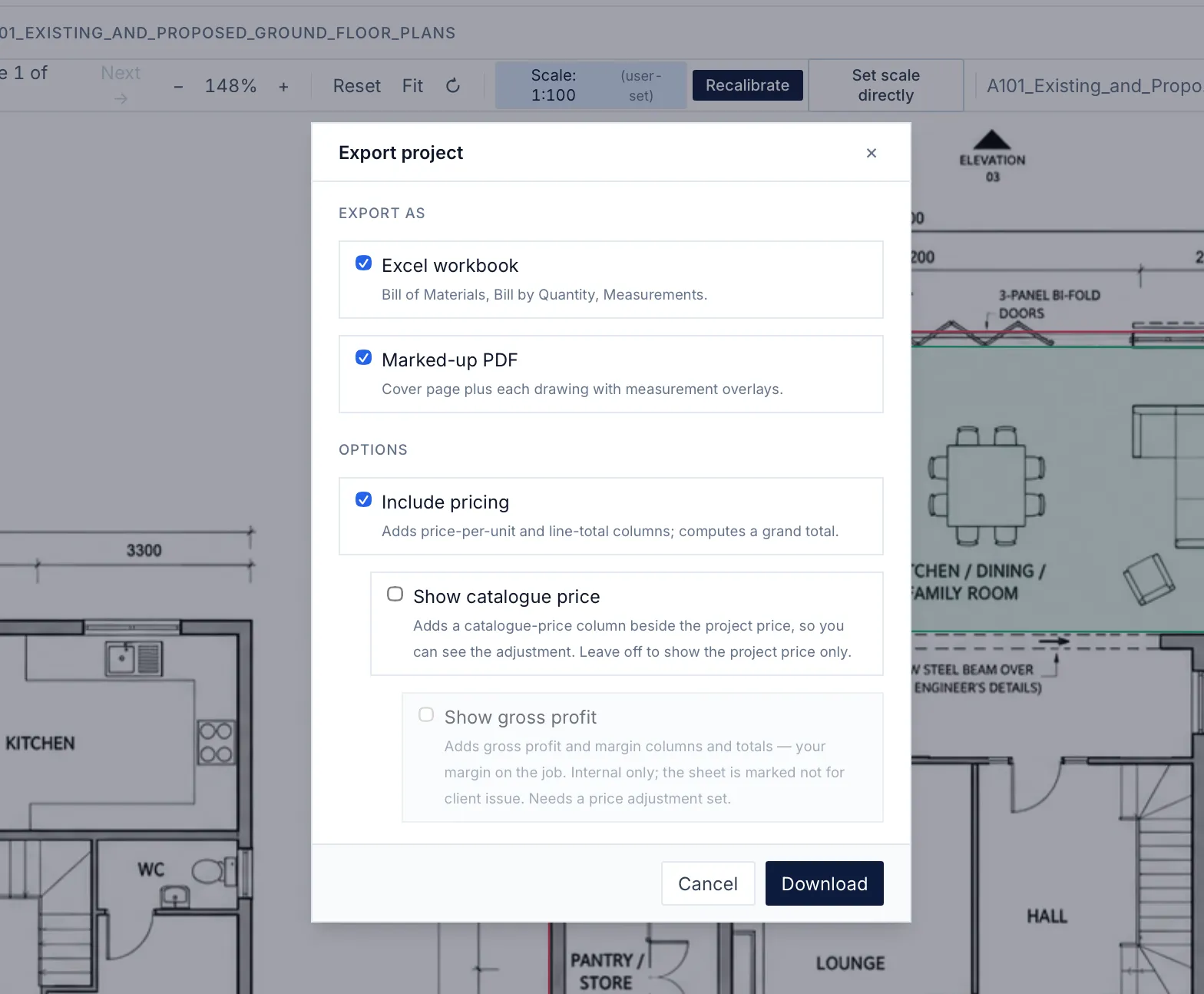
Because you’ve priced each material separately, your margin isn’t one figure across the job — it moves line by line. When you want to see it, add the profit view to your own copy of the bill: the catalogue price beside the price you set, the gross profit on every line, the margin on each, and the job’s total profit. Your customer’s total doesn’t change — this is your view of your own job.
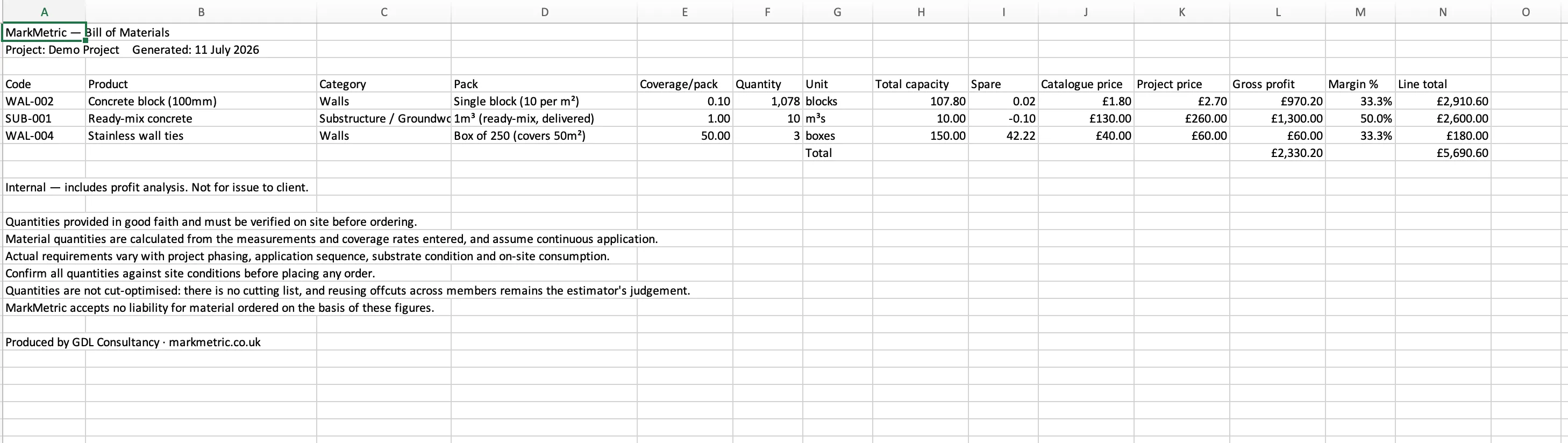
It’s marked internal, off by default, and built so it can’t land on a client’s export by accident. And like every figure in MarkMetric, it stays on your machine — no shared cloud, no online price book, nothing on someone else’s server.
Your prices stay on your machine
Everything you price lives locally, in your own browser, on your own computer. Your rates, your margins, and your suppliers are never transmitted to us, never uploaded to a shared library, and never visible to anyone but you. There’s no account holding your commercial data and nothing to leak. When you close the laptop, your pricing closes with it.
One licence. Mac or PC. No subscription.
MarkMetric is a one-time £495 licence — not a monthly seat. It runs in your browser, so it works on a Mac or a PC without a separate desktop install. You own the version you buy, and your data is yours.
Lifetime licence
£495 one-time
- Every feature, no tiers
- Runs in your browser, Mac or PC
- Your projects and pricing stay on your machine
A price is only as good as the measurement under it
Pricing on your own rates only counts if the quantities are right. MarkMetric ties a scale to every measurement — not every sheet — so a length taken on a 1:20 detail and an area taken on a 1:100 plan stay true to each other before anything is priced. The number you put a rate against is the number that’s actually on the drawing.
Every figure shows its working
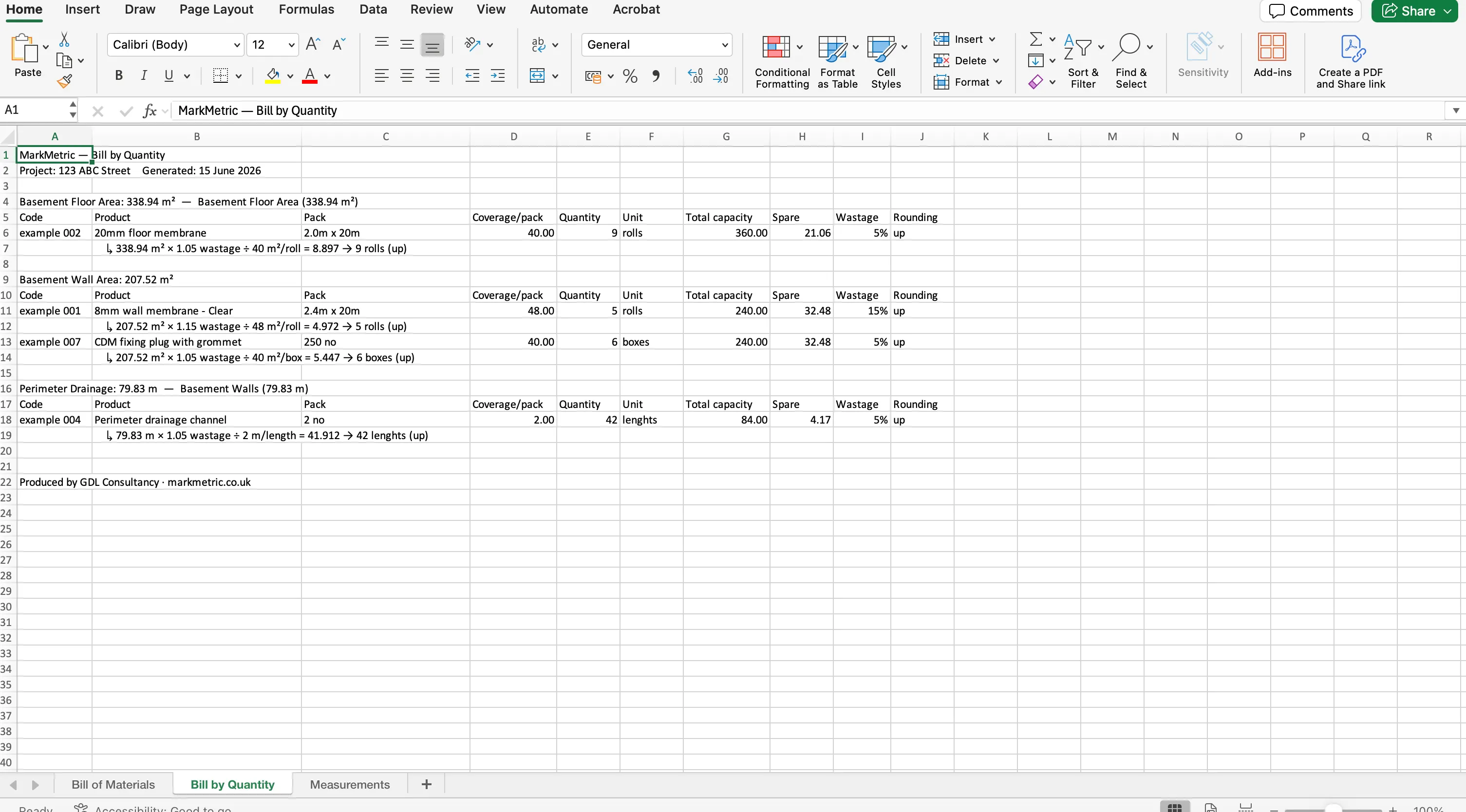
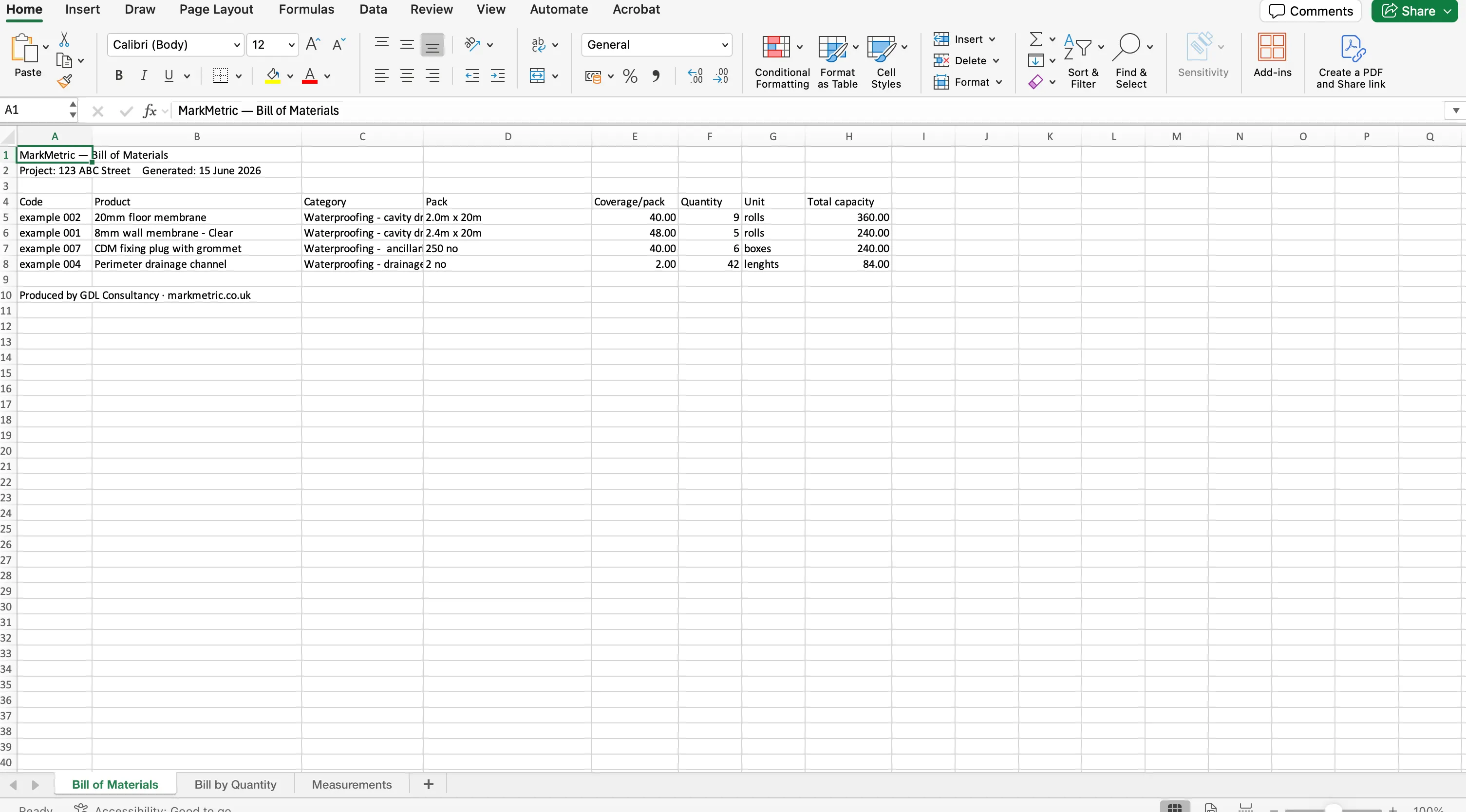
When the estimate is built on your rates and your measurements, you can defend every line of it. Export to Excel and the Bill of Materials carries each item’s quantity, rate and line total, while the Bill by Quantity shows how each quantity was reached. Hand it to a client or a checker and the working is right there — nothing hidden in a formula, nothing pulled from a database you can’t see.
Price your next job on your own numbers.
Measure it once, price it on the rates that apply, and keep it all on your machine.
Common questions
- Can I use my own prices instead of a built-in database?
- Yes — that’s the point. You enter the rates that apply to each job: a supplier’s quote, an account rate, a merchant’s list. There’s no national-average database imposed on you and nothing to override.
- Where is my pricing data stored?
- On your own machine, in your browser. Your rates and margins are never transmitted to us or uploaded to a shared library. We can’t see your projects or your prices.
- Is MarkMetric a subscription?
- No. It’s a one-time £495 licence for the version you buy, with no monthly fee. See the licence terms for what’s included.
- Can I see my profit margin on a job?
- Yes. On your own copy of the bill of materials you can add a profit view showing the catalogue price beside the price you set, the gross profit on each line, the margin, and the job’s total profit. It’s marked internal, off by default, and built so it can’t reach a client’s export by accident. Because you can price each material separately, the margin varies line by line.